Remove Photo Stains Online Free | AI to Remove Photo Stains
Use AI to remove photo stains online free. Remove photo stains from old photos and scanned prints by cleaning water marks, brown spots, foxing, mold stains, and localized discoloration while keeping surrounding detail natural.
Drag your image here, or
Reference Image (Max 50MB)


Remove Photo Stains Before and After Examples
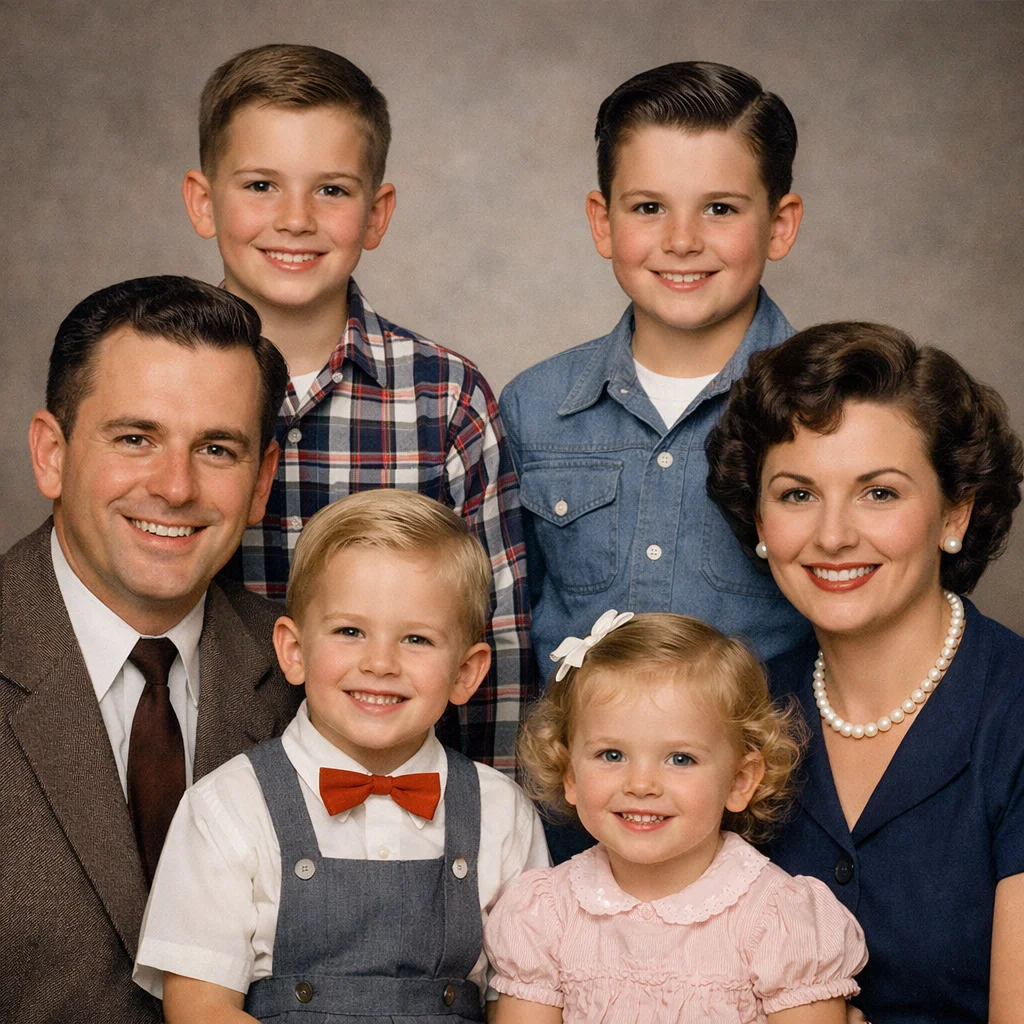
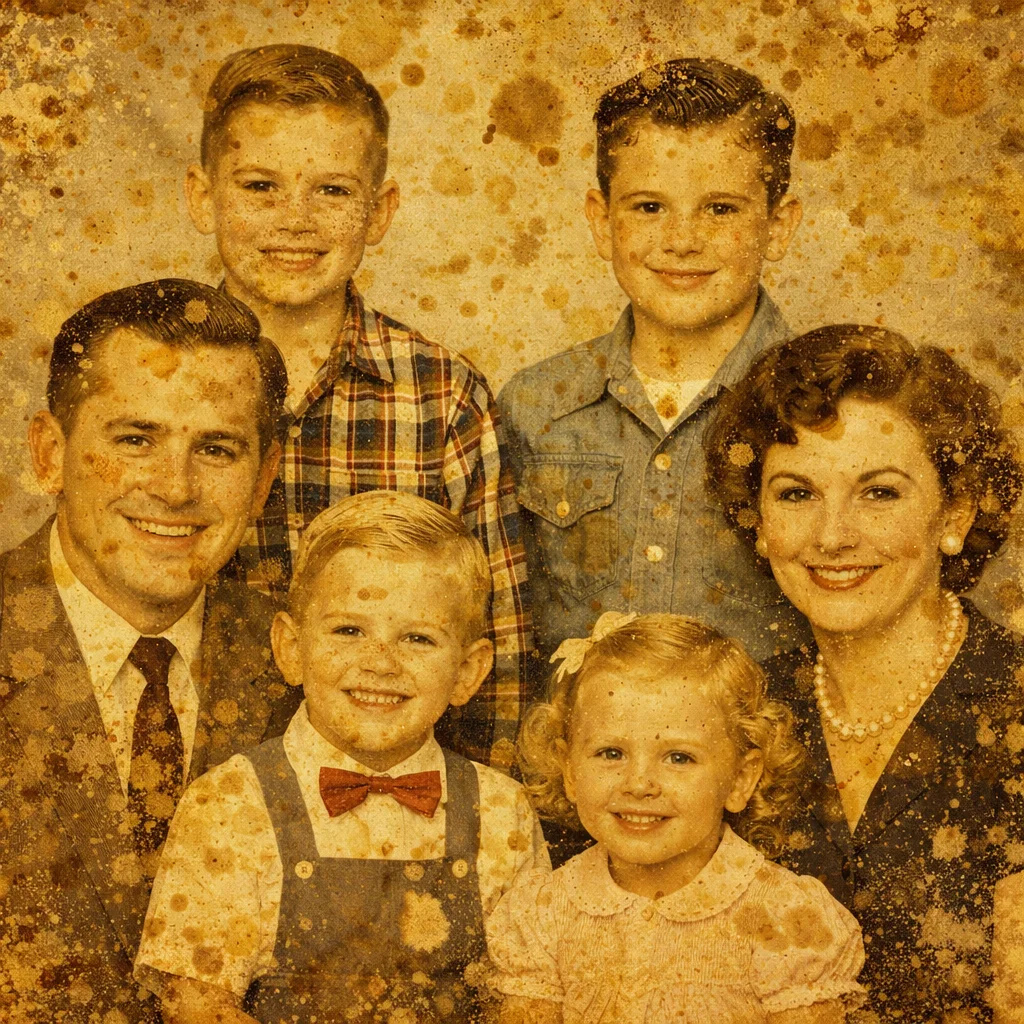
Remove Water Marks from Old Prints
Remove Photo Stains helps clean localized water marks and patchy surface stains from old photo prints while keeping nearby faces, clothing, and background texture natural.
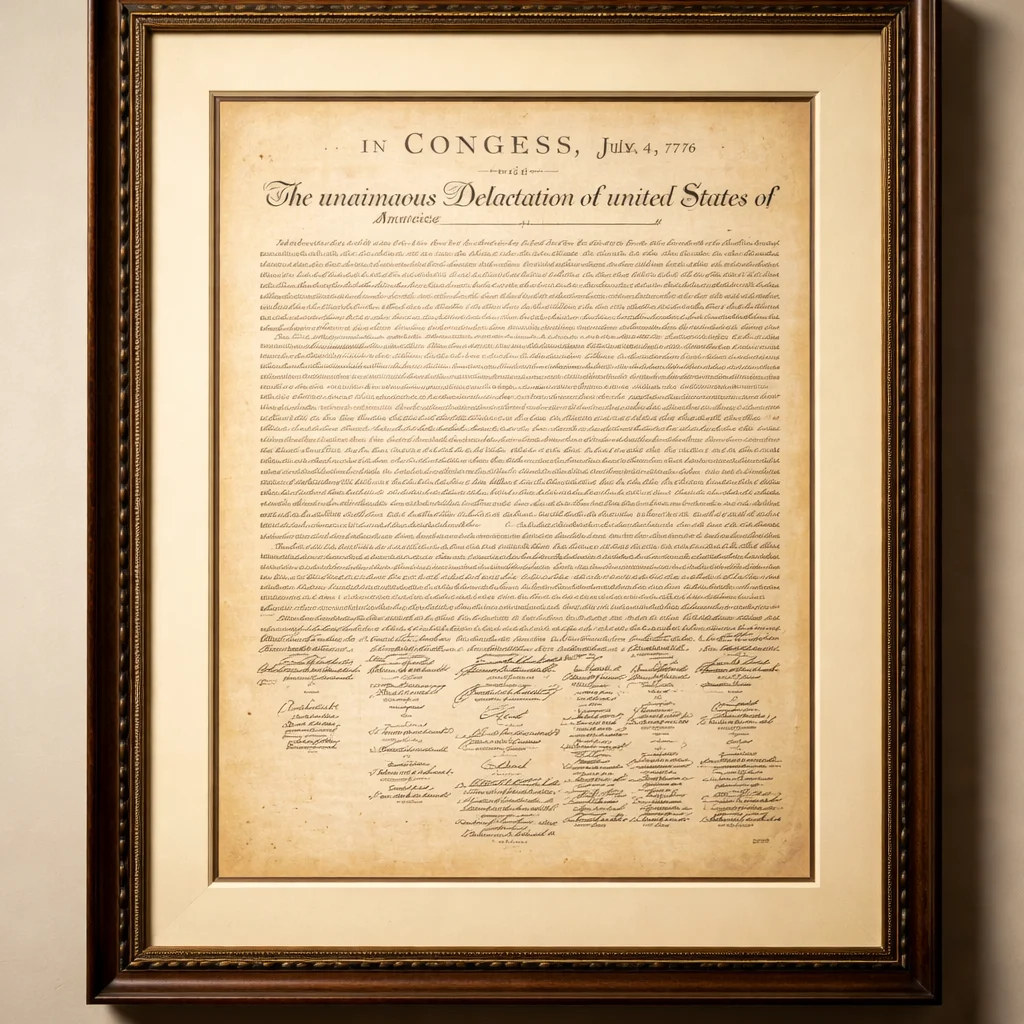
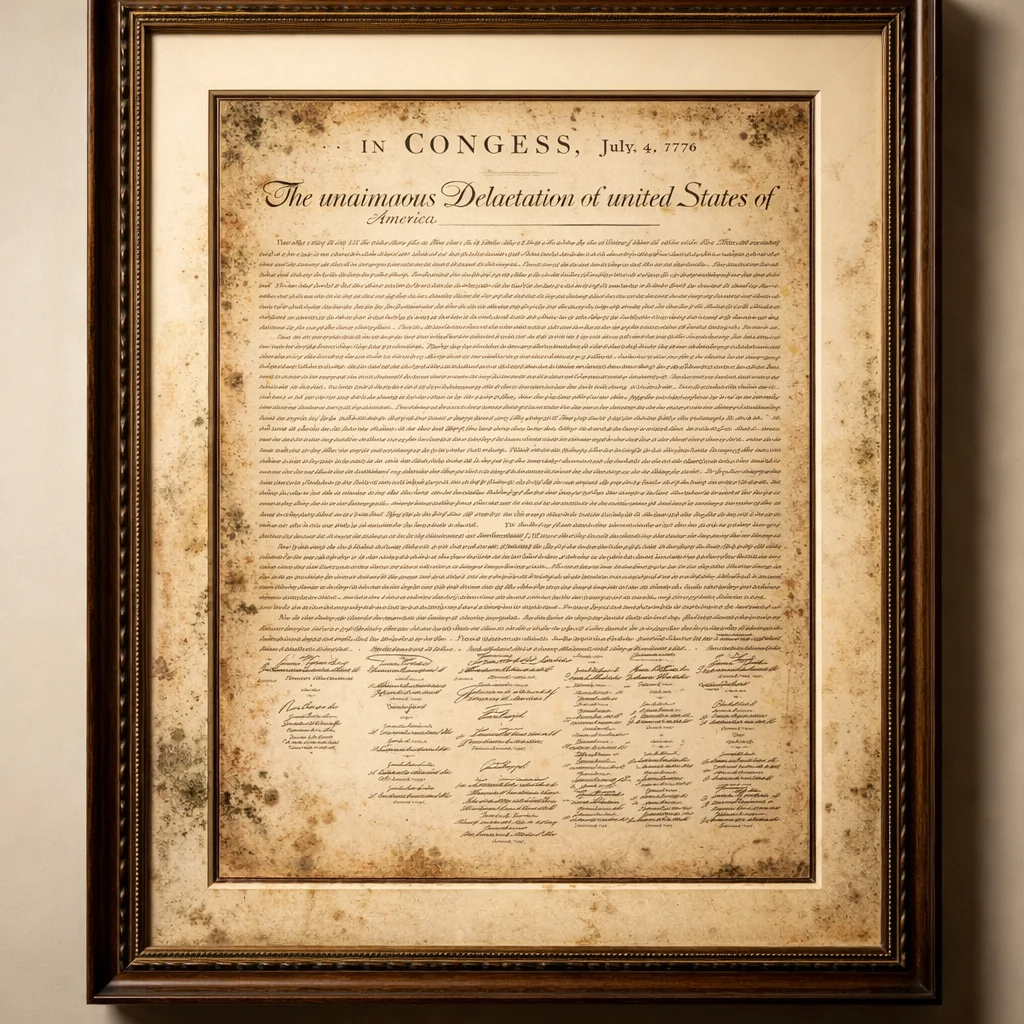
Fix Brown Spots and Foxing Patches
Use Remove Photo Stains to clean brown spots, foxing, and age-related stain patches from scanned photos without turning the image into a full restoration or changing untouched areas.


Clean Mold Stains on Archived Photos
Remove Photo Stains targets mold stains and concentrated discoloration on stored family photos so the digital copy looks cleaner, easier to archive, and easier to share.

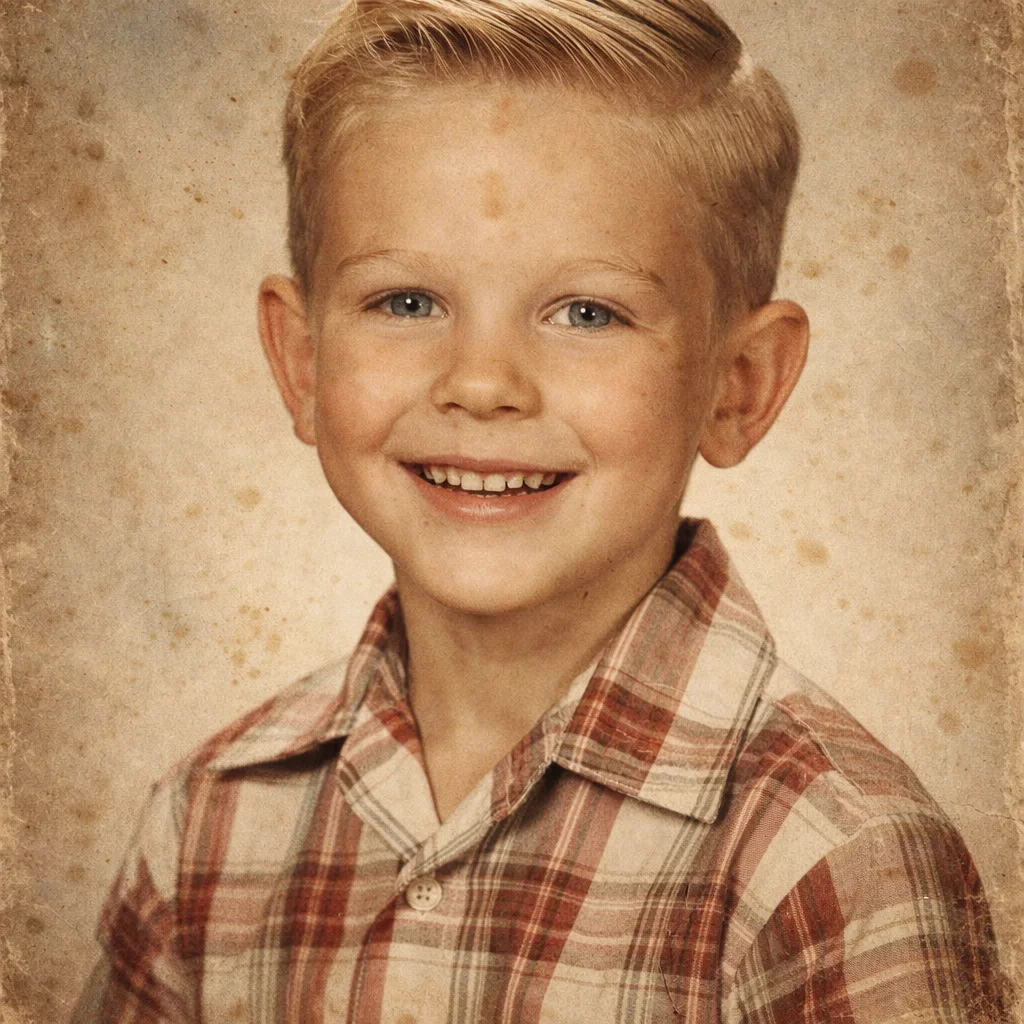
Repair Localized Stain Damage Naturally
Remove Photo Stains rebuilds small stained regions so old portraits and printed memories look cleaner without heavy sharpening, recoloring, or broad damage reconstruction.

What Does Remove Photo Stains Mean?
- •Remove Photo Stains means cleaning localized stain marks from old photo prints or scanned copies, such as water spots, brown patches, foxing, mold marks, and small areas of discoloration.
- •Use Remove Photo Stains when the problem looks like stain-like patches on the image surface, not scanner dust, scratch lines, missing corners, or full-photo fading across the whole print.
- •You can upload a scanned print or a clear photo of the physical print after digitizing it, then let Remove Photo Stains clean the stained areas in the digital copy.
- •Remove Photo Stains aims to preserve the surrounding photo naturally while repairing the stained patch so the image is easier to archive, back up, print, or share.
- •Remove Photo Stains works best when most of the original detail still exists around the stain and the damage is concentrated in local regions instead of the entire photo. If you want the broader AI old photo restoration workflow before choosing a stain-specific route, start from Restore Old Photos.
How to Remove Photo Stains (4 Steps)
Step 1: Upload the Stained Photo
Upload a scanned old photo or a clear digital capture of a print with water marks, brown spots, foxing, mold stains, or localized discoloration so Remove Photo Stains can analyze it.
Step 2: Let AI Detect the Stain Areas
Remove Photo Stains looks for concentrated stain patches and damaged color regions so it can focus on the problem areas instead of changing the whole image.
Step 3: Clean the Marked Regions
Remove Photo Stains rebuilds stained sections using nearby texture and tone, helping the repaired area blend naturally with the surrounding print detail.
Step 4: Save the Cleaner Digital Copy
Preview the Remove Photo Stains result, then download a cleaner photo copy for preservation, family archives, sharing, or the next restoration step if the image has other damage too.
Why Choose Remove Photo Stains
Remove Photo Stains is a focused way to clean stain damage from old photos without turning a stain-removal job into a different type of photo repair.
Built for Localized Stain Damage
Use Remove Photo Stains for water marks, brown spots, foxing, mold stains, and patchy discoloration that affect part of the photo instead of the entire image.
Keeps the Rest of the Photo Natural
Remove Photo Stains targets the stained region and preserves nearby detail instead of overprocessing the whole print with heavy sharpening, denoising, or recoloring.
Good for Old Prints and Scanned Photos
Remove Photo Stains works well after you digitize physical prints and want a cleaner digital version for backup, family archives, or online sharing.
Helps You Pick the Right Next Tool
If the photo also has scratches, dust, fading, or torn areas, Remove Photo Stains helps you clean the stain first and then move to a more specialized repair page for the remaining problem.
Remove Photo Stains from Old Photos
Use Remove Photo Stains to clean water marks, foxing, mold stains, and localized discoloration from digitized prints with a more natural, stain-focused AI workflow.